Manage your iPhone storage with this app
Aiseesoft iPhone Cleaner is a utility application by Aiseesoft. As the name suggests, this file manager cleans the storage of your iPhone. If your device is running slow due to a lack of space, this app can help. It can delete useless documents and data, including junk and temp files, unused apps, unwanted photos, and even large files.
Note, however, that Aiseesoft iPhone Cleaner is not free. There is a 30-day free trial version, but it only lets you perform a limited number of features. If you are looking for a free alternative, you can try Macgoo Free iPhone Cleaner.
How do I use Aiseesoft iPhone Cleaner?
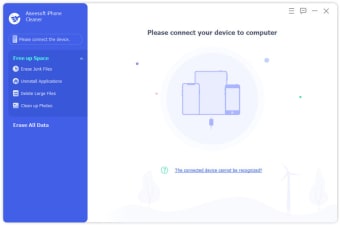
Using Aiseesoft iPhone Cleaner is easy. All you have to do is download the app on your device, launch it, and register with your email address and the registration code. Once done, you can start the process by connecting your device to the computer via a USB cable. Note, however, that while the app is free to download, it requires a license. Additionally, it needs the latest iTunes to run.
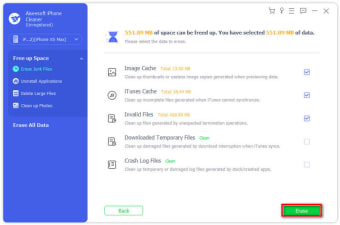
Once the app detects your iPhone, a notice will pop up on your phone’s screen. Tap the Trust button and enter the device passcode. Doing so will allow you to view your storage. Then, click the Quick Scan button to allow the app to scan out the space for cleanup. Here, you can view the list of junk files, applications, and large files that take up your storage.
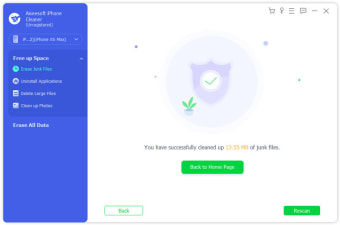
Then, from the Free Up Space drop-down menu, you can choose whether to erase junk files, uninstall applications, delete large files, or clean up photos. You can also click Erase All Data button to erase all data in one click. This option provides three safety levels: low, middle, and high. Note, however, that this function does not erase data in the files app and saved passwords.
Clean your space
If you want your device to run in optimal condition, then Aiseesoft iPhone Cleaner is the app for you. With this phone cleaner, you can erase unnecessary files and applications that clog your storage. The app comes with a modern interface, allowing easy navigation. Not only that, but the cleanup process only takes a few clicks. All in all, this nifty tool is a must-have.